

DESIGNER V6
Simple & Easy Control VideoWall
Designer V6 is a web-based (https) application that works on any smart platform with access to a web browser (Supports all Windows versions, Linux, Apple, iPhone, IPad, Android Phone and Android Tablet platforms).
Designer V6 is the only videowall management software in the world that can work with all known graphics cards and video capture cards and is not brand dependent.
With the automation central control software included in the software, automation control protocols such as KNX, Dali, RS232, DMX512 etc. Unlimited scenarios can be designed with CPanel automation design software
Overview
Supports (https) web based application
Unlimited users for Video wall controller
Automation Processors Control Path Platform
Video wall http stream with soft KVM
Advanced API features
App Stream features and Application web control
Audio mixing for physical embedded audio inputs (*)
Unlimited users control same video wall at the same time
Network Time server support (NTP)
Video wall design preview
Border and Frame color features for sources and entire video wall
Offline and Online design
Custom grid design
Unlimited create layouts
Multi Language support (English, German, French, Russian, Spanish etc.)
Physical Source Preview
Support Http Request, Telnet, RS232 and SSH (*) remote control support
Mobile application supported
Designer RC Remote control software (Support MacOs, IOS, Android, Windows and http GUI)
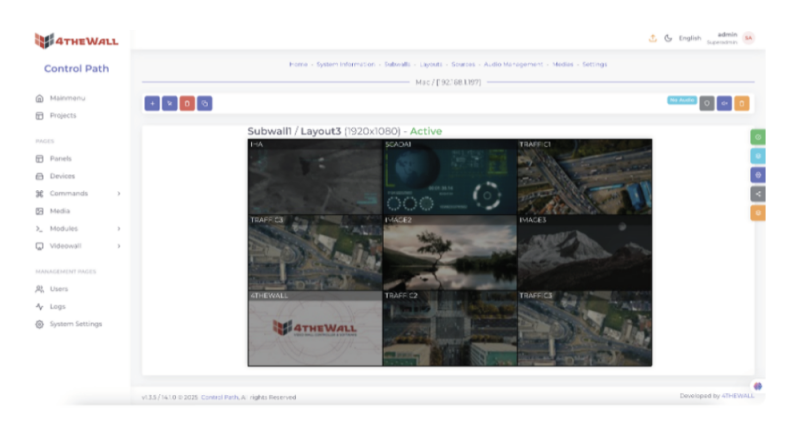
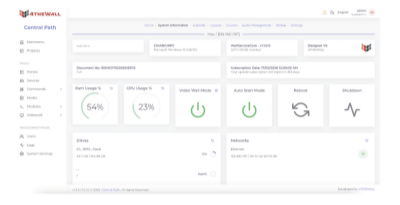
VideoWall Control Management Software
The Designer consists of variety features to manage a complete video wall setup. We offer functions that manage input, control and output of your video wall system. There are powerful modules for sharing and collaboration such es Meeting Mode Module, Central Management Module (CMS), Operator Module.
Features

Advanced user privileges,
– Default 3 different groups (Admin, Editor and Operator)
– LDAP / AD integration

Advanced Log features
– Logs for all action for users and system

Advanced API for developer and 3rd. party integration

Custom Schedule features for layouts

SubWall Features, Support Unlimited Multi Wall

Double click for fit to grid features

Source Swap and Double click for full screen or previous size

Border-less Chrome source with soft KVM features

Video wall stream – send to source for other video wall controllers

Meeting Mode for full Screen mode or collaborating mode

Chat features – all operators chat between each other

Soft KVM for Operators – each operator can control each operator

Audio switching or mixing embedded audio, Line-in, Mic-in

Crop Source
– Crop function for sources
– Cropped source define a new source